FREE Delivery on orders over £75
FREE Artwork Check with Order
From £16.69 for 1 — default options and most popular quantities shown; choose options to see live prices.
QTY | Faster | Fast |
|---|---|---|
| 1 | £21.70 | £16.69 |
| 2 | £39.06 | £30.05 |
| 3 | £46.88 | £36.06 |
| 4 | £50.00 | £38.46 |
| 5 | £55.50 | £42.69 |
| 10 | £86.80 | £66.77 |
| 25 | £176.86 | £136.05 |
| 50 | £345.09 | £265.45 |
Price ex. VAT, excludes delivery
Multiple designs: If you want to print different designs, you'll need to add a quantity to your basket for each design.
Window Stickers
- Holds firmly to glass and removes cleanly without residue
- Ideal for longer-term displays like branding and opening hours
- Standard or custom sizes, cut square or to a custom shape
Product Overview
Window Stickers for Shop Windows
Professional Window Graphics That Stay Put
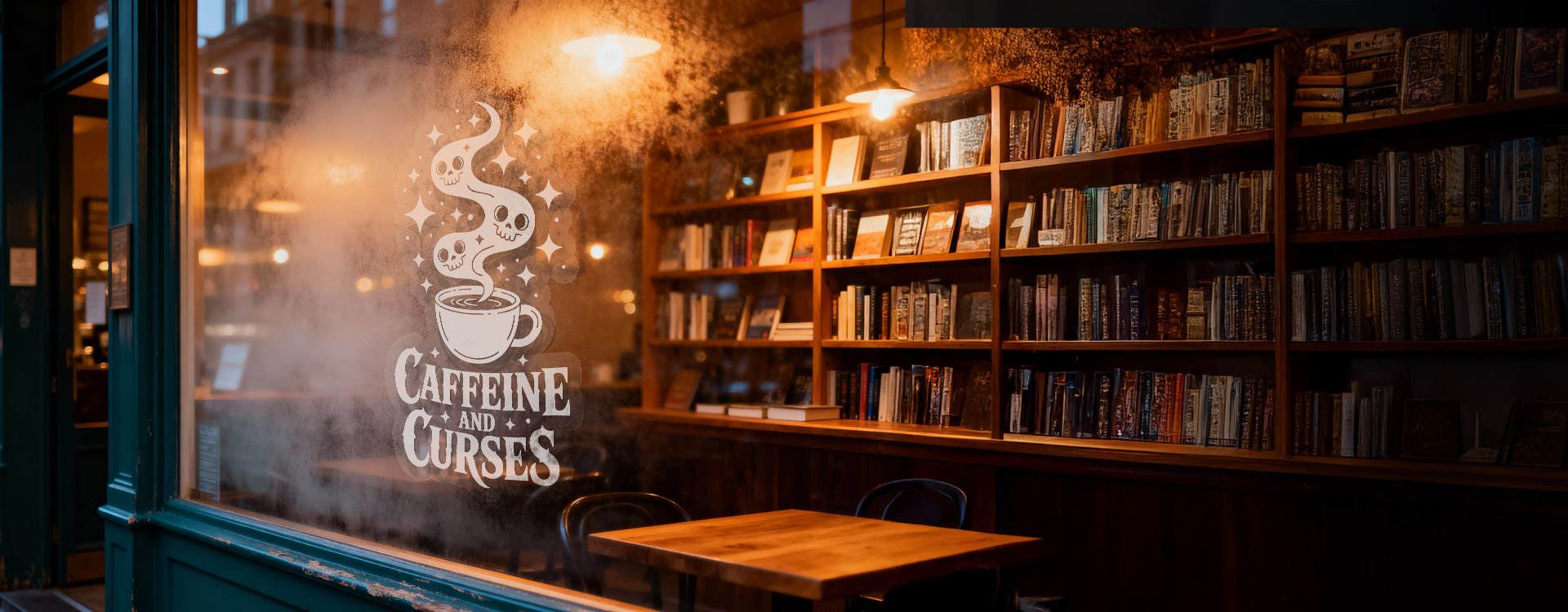
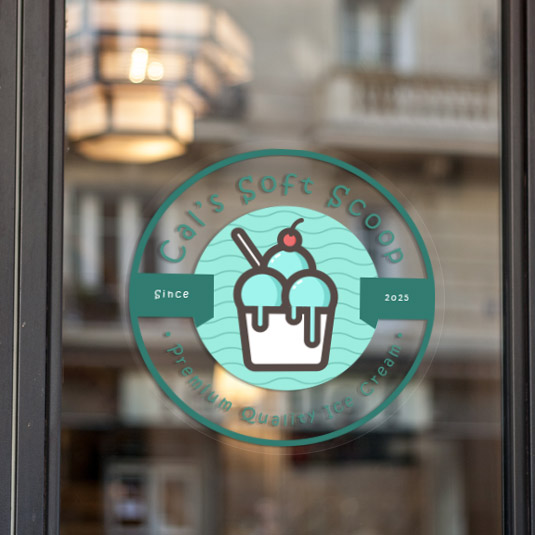
Window stickers put your branding, opening hours and offers on the glass for as long as you need them. Use them for shopfront logos, opening times on the door, directional signs in offices and seasonal campaigns that run for months, not a weekend. The no-mark adhesive holds firmly to glass and peels away cleanly when it’s time for a change, which keeps landlords happy too. Your hours on the door. Fewer people rattling it at 8:58.
Window Sticker Sizes, Material and Options
| SizesWidth x height |
|
|---|---|
| Material | Clear adhesive vinylNo-mark adhesive that removes cleanly from glass without residue. |
| Shape |
|
| Viewing Side |
|
| Suitable Surfaces | Smooth, clean glass, mirrors and some plasticsDesigned for single use, so the adhesive isn’t made for reapplying. |
| Multiple Designs | If you want to print different designs, you’ll need to add a quantity to your basket for each design. |
Window Stickers or Window Clings?
Both put your design on the glass. The difference is how long you want it there. Window stickers: no-mark adhesive for longer-term displays such as branding, opening hours and permanent signage. Window clings: made for repeated use, so they suit promotions you’ll swap in and out. Changing your offer every month? See window clings.
FAQs
Window Stickers FAQs
Last updated
No answers match that search. Try a different word, or ask our team on Live Chat.
What are window stickers?
Window stickers from instantprint are full-colour graphics printed on clear adhesive vinyl and applied to the inside of a window. They hold firmly to glass and peel off cleanly without leaving residue, so they suit longer-term displays such as branding and opening hours. instantprint offers 4 standard sizes from 600x450mm to 2000x1000mm, plus custom sizes and custom shapes.
What sizes do window stickers come in?
instantprint prints window stickers in 4 standard sizes: 600x450mm, 900x600mm, 1200x1000mm and 2000x1000mm. If none of these fits your glass, choose the Custom Size option next to the size list and enter your own width and height in mm. Custom sizes can't be made in the online design tool, so you'll need to upload your own print-ready artwork. See which products offer this on the custom size products page.
What's the difference between window stickers and window clings?
instantprint's window stickers are printed on clear adhesive vinyl and are made to stay in place, so they suit longer-term displays. Window clings are printed on transparent PET and are designed to be repositioned and reused, which suits promotions that change often. Both come in the same 4 standard sizes from 600x450mm to 2000x1000mm, but only window stickers can be cut to a custom shape.
Should I choose window stickers or window clings?
Choose window stickers if the graphic will stay up long term, such as your logo, opening hours or contact details, or if you need a custom shape. Choose instantprint's window clings if you'll change the display for each sale or season, because clings can be repositioned and reused. Both are applied to the inside of the glass, and both offer 2 print directions: Outside Viewing and Inside Viewing.
How much do window stickers cost?
The price of instantprint window stickers depends on the size (4 standard sizes or a custom size), the 2 cut types, the quantity and the turnaround you choose; Fast is the lower-cost of the 2 turnarounds. Prices on this page exclude VAT and delivery; use the VAT toggle in the page header to see prices with VAT. Your basket shows the full total, including VAT and delivery, before you pay.
How quickly can I get window stickers?
instantprint offers window stickers on 2 turnarounds, Faster and Fast, both available from a quantity of 1. The artwork approval cut-off is 6:30pm for Faster and 6:30pm for Fast, and your delivery date counts from when you approve your proof, not when you upload artwork. The exact delivery date for each option shows on this page and in your basket before you pay.
What's the minimum order for window stickers?
The minimum order for instantprint window stickers is 1, so you can order a single sticker for 1 window. The price per sticker falls as the quantity goes up, and the price table on this page shows popular quantities from 1 to 50. Prices are based on 1 design, so add each different design to your basket separately.
How much is delivery for window stickers?
instantprint calculates the delivery price in your basket, and standard delivery is free on orders over £75. Standard delivery is tracked, and you can upgrade to pre-noon delivery at checkout. instantprint delivers to UK addresses only, and some extended-area postcodes take 1 extra working day; check yours on the Delivery & Turnaround page.
Can I get window stickers cut to a custom shape?
instantprint can cut window stickers to a custom shape: Cut Type has 2 options, Square Corners and Custom Shape, so choose Custom Shape. Custom shapes can't be made in the online design tool, so upload your own print-ready artwork with 3mm bleed and a 3mm safe zone. If you're not sure how to set up the shape, ask on Live Chat before you order.
Do window stickers go on the inside or outside of the window?
Window stickers always go on the inside of the glass, even when your design is meant to be read from the street. instantprint prints the design the right way round for 1 of 2 print directions: Outside Viewing for people outside, or Inside Viewing for people in the room. For a sign on an outdoor wall or fence, choose correx signs or PVC banners instead.
How do I apply window stickers without bubbles?
Apply your window sticker to clean, smooth glass on the inside of the window. Peel back a small section of the backing, line up the upper edge, then smooth the sticker down from the centre outwards as you remove the rest of the backing, pushing any air bubbles out to the edges. For the 2000x1000mm and 1200x1000mm sizes, 2 people make lining up easier.
What's the best window sticker for shop opening hours?
For opening hours, choose an instantprint window sticker with Outside Viewing, applied to the inside of your shop door or window. Window stickers hold firmly to glass for longer-term displays, which suits information that rarely changes. The smallest standard size is 600x450mm; for a narrower door panel, use Custom Size to match the glass in mm.
What surfaces can I put window stickers on?
instantprint window stickers, in sizes up to 2000x1000mm, are made for glass, such as shop windows, glass doors and glass office partitions. Apply them to the inside of clean, smooth glass for a secure hold and a neat finish. For walls, fences or other surfaces that aren't glass, choose foam signs or correx signs instead.
How long can I leave window stickers up?
instantprint window stickers are designed for longer-term displays, such as branding, opening hours and directional signage, rather than short promotions. instantprint doesn't give a set lifespan, because how long a display lasts depends on sunlight, cleaning and the glass it's on. For displays you'll change every few weeks, window clings are easier to swap.
Will window stickers leave residue on my windows?
No. instantprint window stickers use a no-mark adhesive that holds firmly to glass and peels away cleanly without leaving sticky residue. To remove one, lift a corner and peel it back slowly at a low angle, keeping the sticker close to the glass. You won't need scrapers or solvents to clean the window afterwards.
Can I reuse or reposition window stickers?
No. instantprint window stickers are designed for single use: they remove cleanly, but the adhesive isn't made to be stuck down again once you peel it off. If you want a graphic you can move and reuse, choose window clings instead, which are printed on transparent PET and designed to be repositioned.
Will window stickers fade in sunlight?
Like other printed materials, window stickers can fade with long exposure to direct sunlight, which gradually reduces how vibrant the print looks. Windows that face the sun all day will show this sooner than shaded ones. If colour accuracy matters for your brand, check your display regularly and reorder from instantprint when the colours start to dull.
How do I set up artwork for window stickers?
Supply your window sticker artwork as a PDF in , at , with fonts or . Add 3mm bleed on every edge, which is extra background beyond the trim line so no white edges show, and keep text and logos inside the 3mm . instantprint's bleed and safe zone guide shows how to set this up.
Can I add a QR code to a window sticker?
You can add a QR code to a window sticker: make it at least 25mm square at print size, and larger if people will scan it from the street. instantprint doesn't check QR codes during proofing, so test yours before you approve. Download your , view it at 100% and scan the code with your phone.
Will I see a proof before my window stickers are printed?
instantprint checks every window sticker order for free and creates a digital proof for you to approve before printing starts. Proofs are digital only, as physical proofs aren't available. Download the PDF proof and view it at 100% to check text and colours, because your delivery date counts from when you approve it. The proofing guide explains each step.
Can I order window stickers with different designs?
instantprint prices window stickers on 1 design per quantity, so each design needs its own item in the basket. For example, to order 2 window stickers with different designs, add a window sticker to your basket twice and upload the right artwork to each one. All the designs still go through 1 checkout as a single order.
Do window sticker prices include VAT, and how can I pay?
Prices on the instantprint window stickers page are shown excluding VAT; use the VAT toggle in the page header to see prices including VAT. instantprint accepts Visa, Visa Electron, Mastercard, Maestro, American Express and PayPal at checkout. You can also use Save as Quote in your basket if someone else needs to approve the spend first.
Can I use a discount code on window stickers?
Enter your discount code in the voucher field in your instantprint basket, and the discount applies before you pay. First-order offers have eligibility rules and may exclude some products, so check the offer's terms if a code doesn't apply. Standard delivery is also free on orders over £75.
Is the window sticker packaging recyclable?
instantprint's packaging is widely recyclable, including the plastic parts. This applies to the packaging only, not to the window stickers themselves. Check with your local recycling provider before you dispose of used window stickers.
Still not sure? Talk to our team on Live Chat. We can check your artwork, help you choose between window stickers and window clings, and explain Outside Viewing and Inside Viewing.
Chat to our team
Artwork & Templates
Window Sticker Artwork & Templates
Ordered this window sticker before? Skip the setup and reorder it in a few clicks from your account.
Create Your Design
How would you like to create your design?
Blank templates are available for our standard sizes. For a custom size, set up your own document using the sizes on this page.
Set up a new document in Illustrator, InDesign or Photoshop at the width and height you’re ordering and add 3mm , or at your width and height plus 6mm if your software has no bleed setting.
Keeping areas clearAnything transparent in your file stays clear on the window, and anything white prints as . Save as a PDF, AI or PSD file to keep transparent areas exactly as you set them.
Choosing Custom Shape?Our proofing tool creates a around your design when you upload it. To draw your own, follow our custom cut artwork guide.
Set a custom size of your width and height plus 6mm.When you’re done:
- Click Share, then Download.
- Choose PDF Print as the file type.
- With a premium account, select . On a free account, use the digital option. Your colours will be converted for print and may look slightly different.
Check Your Print Specifications
For the best print result, use these specification guidelines:
- Resolution
- Full colour and
- Colour
- Format
- Fonts
- or
- 3mm
Upload and Approve
Made your own file? We recommend saving it as a PDF (other are accepted), add your window sticker to the basket and upload it, then check and approve your .
Approve by 6:30pm for Fast and Faster options.
Free Artwork Check on Every Order
Our studio team checks your file before it’s printed, and can add if you’ve forgotten it.
Artwork Questions
More help: Bleed guide · Resolution guide · Colour guide · White ink guide · Proofing guide
Can you check my artwork before I order?
Yes. Upload your file to our live chat before you order, and we’ll check it and let you know if it’s right.
Which parts of my window sticker will be see-through?
Anything transparent in your file stays clear on the window. We add where it’s needed, so your colours look bright and solid rather than see-through.
White text and shapes in your design print as white ink, so only use white where you want it. Upload a PDF, AI or PSD file to keep transparent areas exactly as you set them. If you upload a JPEG, our tool removes the background around your design for you. See our white ink guide for examples.
Do I need to mirror my design for outside viewing?
No. Supply your artwork the right way round, as you want people to read it. Your window sticker always goes on the inside of the glass, and when you choose Outside Viewing, we mirror your design so it reads correctly from outside.
What resolution and pixel size do I need?
Use at full printed size. To work out the pixels you need, divide your width and height in mm by 25.4, then multiply by 300. For example, a 500 × 300mm window sticker needs 5,906 × 3,543 pixels.
Changing the dpi setting on a small image won’t add detail. Logos and text saved as artwork stay sharp at any size.
Which file type should I upload?
We accept PDF, JPEG, PNG, PSD and AI files. A PDF, AI or PSD file gives the best result, because it keeps transparent areas clear and fine detail sharp. If you upload a JPEG, our tool removes the background around your design for you.
Do I need bleed and a safe zone?
Yes. Add 3mm on every side so no gaps show after trimming, and keep text and logos inside the , 3mm in from the cut. If you forget the bleed, our studio team can add it for you.
How do I set up a custom shape cut line?
Choose Custom Shape and enter your size as the widest and tallest points of your shape. When you upload your artwork, our proofing tool creates a around your design, and you check it on your .
To draw your own in Illustrator, add a stroke-only outline on a layer named Cutter, using a Process swatch named Cutline set to C0 M100 Y0 K0. If the cut line isn’t right, choose ‘My proof is wrong’ at the upload stage and tell us how to change it.
Read the custom cut artwork guide for step-by-step help.
Should my file be RGB or CMYK?
We print in . Canva, Figma and most screens use , so bright colours can look slightly different in print.
Export in CMYK where your software allows. In Canva, you can choose CMYK when downloading as PDF Print on a premium account. In Photoshop, convert under Image > Mode > CMYK Color.
Exporting from Canva, Figma or Illustrator
In Canva, click Share, then Download, and choose PDF Print. Select if you have a premium account. Check your carefully, because anything white in your design prints as white ink.
In Figma, export a PDF at your artwork size including . In Illustrator, save a print-quality PDF with bleed and fonts , and leave areas you want to stay clear transparent rather than filling them with white.
Can I add a QR code?
Yes. Make it at least 25mm (1 inch) square at print size, and larger if people will scan it from a distance. Give it a solid, light background so it scans well against the glass, and test it before you upload.
Can I have several window stickers cut from one sheet?
No. Each window sticker is printed and cut as one piece. For different designs, add each one to your basket separately.
Custom Size & Shape
Custom Size and Shape
Choose Your Size and Shape
Make your window sticker the exact size you need, or have it cut to a circle, an arrow or an outline around your design.
Custom Size
Width × heightSelect Custom Size and enter your width and height in millimetres.
Custom Shape
Circles, arrows, outlinesSelect Custom Shape, then measure your shape at its widest and tallest points and enter those as your size.
How to Set Up Your Cut Line
A cut line is the outline we follow to cut your window sticker to shape. Our online proofing tool can create one for you, or you can add your own in Adobe Illustrator.
Automatic Cut Line
- Upload your artwork to the online proofing tool.
- The tool automatically creates a cut line around your design.
- Check and approve the cut line in your .
Manual Cut Line
- In Adobe Illustrator, create a separate layer named Cutter.
- Draw the outline where you want your window sticker cut, using a stroke with no fill.
- Set the stroke colour to C: 0, M: 100, Y: 0, K: 0.
- Name the colour swatch Cutline and set it to , not Spot.
Before You Upload
| Measuring | Enter width and height in millimetres. For custom shapes, use the widest and tallest points. |
|---|---|
| Separate Designs | We can’t cut multiple separate window stickers from one larger sheet. |
| Manual Cut Line | Stroke only, on a layer named Cutter, in a Process swatch named Cutline. |
Not Sure About Your Shape? Talk to our team on Live Chat. We can help you set up your size, shape and cut line.
Chat to our team
Delivery
Window Sticker Delivery
When Will My Window Stickers Arrive?
Choose a turnaround when you order. The delivery date shown next to each option already includes printing and delivery. Working days are Monday to Friday, excluding bank holidays. If you approve your artwork after the 6:30pm cut-off, your delivery date moves back.
Faster
Printed in 1 working dayOrder and approve your artwork before 6:30pm. We'll print your window stickers in 1 working day, then deliver them the next working day.
Fast
Printed in 4 working daysOrder and approve your artwork before 6:30pm. We'll print your window stickers in 4 working days, then deliver them the next working day.
Check the delivery date shown before you pay.
Delivery Prices
Delivery is calculated in your basket and depends on the product and quantity you order. Every order is delivered by our delivery partners, and once it's been dispatched you'll receive an email with tracking details.
Free Standard Delivery on Orders Over £75
Spend £75 or more and your standard delivery is on us.
Delivery Questions
How quickly can I get window stickers delivered?
The quickest option is Faster: order and approve your artwork before 6:30pm and instantprint prints your window stickers in 1 working day, then delivers them the next working day.
Uploading artwork isn't enough on its own; you need to approve your before the cut-off. Check the delivery date shown for your size and quantity before you pay.
Does the turnaround include delivery, and can I get Saturday delivery?
No. instantprint's turnaround is printing time only: Faster prints in 1 working day and Fast in 4 working days, and delivery takes a further working day. Use the complete delivery date shown when ordering rather than treating turnaround as the arrival date.
Saturday delivery is available for eligible orders when offered at checkout. Extended areas will take one extra working day, and bank holidays can also affect arrival dates. You can check your delivery date at checkout.
Can you deliver to my shop, event venue or overseas?
instantprint delivers to eligible UK addresses, including shops, offices and event venues that accept courier deliveries. Choose a delivery date at least one working day before your event or launch, and confirm someone can accept parcels on that day and during the venue's receiving hours.
Direct international delivery isn't offered. If arranging onward transport yourself, ask live chat about packed dimensions, weight and any product information needed for customs before booking a courier.
Can I send my window sticker order to more than one address?
Yes, if your order has at least two window stickers. instantprint's Split Delivery sends one order to two or more UK addresses, with the quantity of each product divided between them. Choose it in your basket, then either add your addresses and pay at checkout, or reserve it and finish setting it up later in My Orders. A reserved order doesn't go into production until the setup is completed and paid.
Split Delivery covers your whole order, and the fee is based on how many boxes go to each address. It's charged on top of your order and isn't covered by free delivery on orders over £75. You'll see the cost before you pay. Split orders are sent through our distribution centre, which adds extra delivery time, so they arrive later than the Faster and Fast dates above; check the estimated delivery date in your basket. You can't change addresses or quantities yourself once you've paid, so check your list before confirming.
